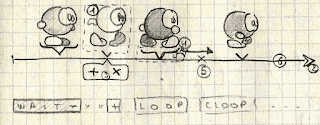
After fixing the "silly sunday bug" (giving a positive v0 speed for a state that moves to the left :P), I think I identified the reason why blador disappears: the "deficit" for step-based walk increases by v0 at every frame, but I also have "delay xxx" instructions in my animation, which makes the GOB to accumulate deficit move over time. When it comes to turn around, it is first "wrapped" to the place it's supposed to be (not very ideal)... and that happened to be off-screen this time ^^" I had some more "FLITS" bugs, with dumbladors disappearing into the void of the toroïdal space (?) as soon as they hit a wall 0_o
The good news is that InspectorWidget was already much more capable than I thought, despite its cryptic user interface:
Sunday, May 20, 2012
FLITS again

Thursday, May 17, 2012
Fuuuuuusiooooooon

This post will collect thoughts and battle plan for this huge refactoring attempt ... I won't get into it before I have a first school zone demo running.
| SEDS | AnimEDS |
|---|---|
| * drop the dumb 'animation editor' * leftTable could be dropped between two "restore()" of the fileWindow | * make onion skin possible, but keep OAMs for the rightTable * solve the memory management bug. |
Jusqu'ici, avoir AnimEDS et Sprite Editor dans 2 exécutables séparés était plutôt bénéfique. Je pouvais complètement foirer une "release" AnimEDS sans pour autant perdre la possibilité d'éditer des p'tits sprites sur ma DS (ou pire, de corrompre les fichiers .spr). Mais à l'usage, il est clair que devoir basculer d'un programme à l'autre est fréquent pour avoir une animation correcte. Rien que sur Dumblador (pourtant élémentarissime), j'ai du faire des va-et-vients pour re-centrer les pieds, histoire que l'animation passe sans heurts. Alors commencer une animation avec des boules en guise de pieds et mains puis "affiner" en redessinant quelque-chose de plus rayman-esque ... je n'ose même pas imaginer 0_o
Je vais donc devoir fusionner les deux ensembles de "fenêtres" dans un seul et même programme, ce qui va nécessiter un fameux effort de mise à plat du code (UML? ô UML, pourquoi es-tu UML?) histoire de garder un état cohérent entre les "feuilles de travail" pour les sprites.
Je pense que ce sera pour les grandes vacances, dès que j'ai une démo du niveau "school zone" qui est partie sur dev-fr.org.
(PS: ce post est en "brouillon" sur le blog depuis septembre 2011 ...)
Yeah! Blading time!
Eh bin !? ça n'aura pas trainé. Je sentais bien que je n'étais pas loin de "dumblador qui avance", mais de là à deviner qu'en une soirée, ce serait réglé dans AnimEDS et qu'avec juste 2 heures de plus dessus ce matin (dont un peu d'ajustement de sprites), je pourrai le faire avancer aussi dans le moteur de jeu ... C'est pourtant le cas. Chouette. Je vais pouvoir commencer à ajouter la définition des zones de collisions entre sprites ... ou alors je garde ça pour un programme annexe encore un moment ?

Wednesday, May 16, 2012
Where You See is Where It Is
 Bon, on récapète.
- 3 mars: fusion du code expérimental pour les nouveaux sprites composites dans le moteur de jeu. Il faudra quand-même pas mal chipoter pour pouvoir éditer la school zone dans LEDS
- 18 mars, le fichier de commande pour dumblador est écrit. C'est lui qui servira de démonstration des nouvelles capacités du moteur de jeu, mais rien à l'écran ne trahit encore la présence de dumblador :P
- 24 mars, release source du moteur de jeu et de ses outils.
- 26 mars, "reality check": pour pouvoir positionner Dumblador dans un niveau, he dois faire une révision d'AnimEDS pour qu'il enregistre la miniature à afficher;
- 25 avril, je peux ajouter des dumbladors qui font quelques pas (sur-place) mais il me manque des outils pour définir quelle portion de l'espace ils occupent dans le jeu.
- 7 mai, comme d'habitude, j'ai zappé la case 'feedback à l'utilisateur' et mes outils sont à la limite de l'utilisable.
- 15 mai; ok. Je peux enfin positionner de manière fiable un dumblador dans mon niveau
Là, j'ai AnimEDS, LEDS et le moteur de jeu qui sont d'accord sur la manière d'interpréter la position d'un personnage composite dans un niveau. Ça n'aura pas été sans mal.

J'ai même le début de la définition des déplacement, quoi que ce soit encore très "courbes elliptiques en espace discret toroïdal", si vous voyez ce que Bouli veut dire ... non ? bon, bin Dumblador reste sur place pendant presque toute l'animation, puis arrive d'un coup à une position improbable qui n'a pas grand-chose en commun avec le déplacement qui était prévu, donc:
- faire en sorte d'avoir en mode émulateur (sur toutes mes machines) une animation de déplacement, histoire d'éviter de re-faire l'animation à chaque test;
- éliminer les effets du type "la position de la tête n'est remise à jour que si la tête est déplacée (relativement) dans l'animation.
- garantir que l'info du type "verouillé sur le membre #3" est maintenue à jour quand on se déplace le long de la timeline.
- trouver le bug.
- Faire en sorte que les repères de positions dans LEDS restent corrects quand on se déplace dans le niveau ^^"
Monday, May 14, 2012
Voo have a problem
Hopefully enough, one of my systems at home had a pretty freshly updated code base to work with, so I could fix those solid-box-definition issues and bring AnimEDS to a point where I can start toying with embedded movements... at last. Let's see if I can make dumblador actually *move* by the end of the week (and get that modem fixed, btw).
Monday, May 07, 2012
devil in the details

Il m'aura fallu plusieurs aller-retours dans LEDS pour pouvoir faire l'ajustement, les monstres se désactivant à plusieurs reprises. De plus, le minuscule dumblador affiché sur la map ne permet pas de se rendre compte si le positionnement est correct, ni de le sélectionner avec précision. Affaire à suivre.
- [done] now that I can select dumbladors with their real sizes,
I can't select Bilou anymore, who looks to have (0,0) dimensions -- fixed. - [fix]
DPAD-positioningis somehow fixed ... - [workaround] but I still need to visualise the solid box of the monsters, not only their thumbnail.
- [done] monsters are rendered where they have been designed to stand.
- [done] BoxWidget becomes immediately responding to DPAD commands after the 'bx' button has been clicked.
Tuesday, May 01, 2012
BoxWidget ... beyond the code.

Bon, bin quand on a pas synchronisé son code à la fin du week-end, on peut toujours se faire un p'tit mockup pour voir comment le nouveau widget "définir une zone rectangulaire" va pouvoir aider à la définition des zones de collision. Mock-up pas totalement convaincant, d'ailleurs. Fort confus, même si je ne vois pas bien comment faire mieux. Ça me paraissait une bonne idée, au départ, de juste "suggérer" la zone de collision en marquant ses coins, mais la plupart des problèmes de collisions rencontrés jusqu'ici provenait d'un recouvrement entre zones. Du coup, pouvoir en visualiser plusieurs d'un coup ne serait sans doute pas plus mal...
 - +
- + 


 Vote for your favourite post


